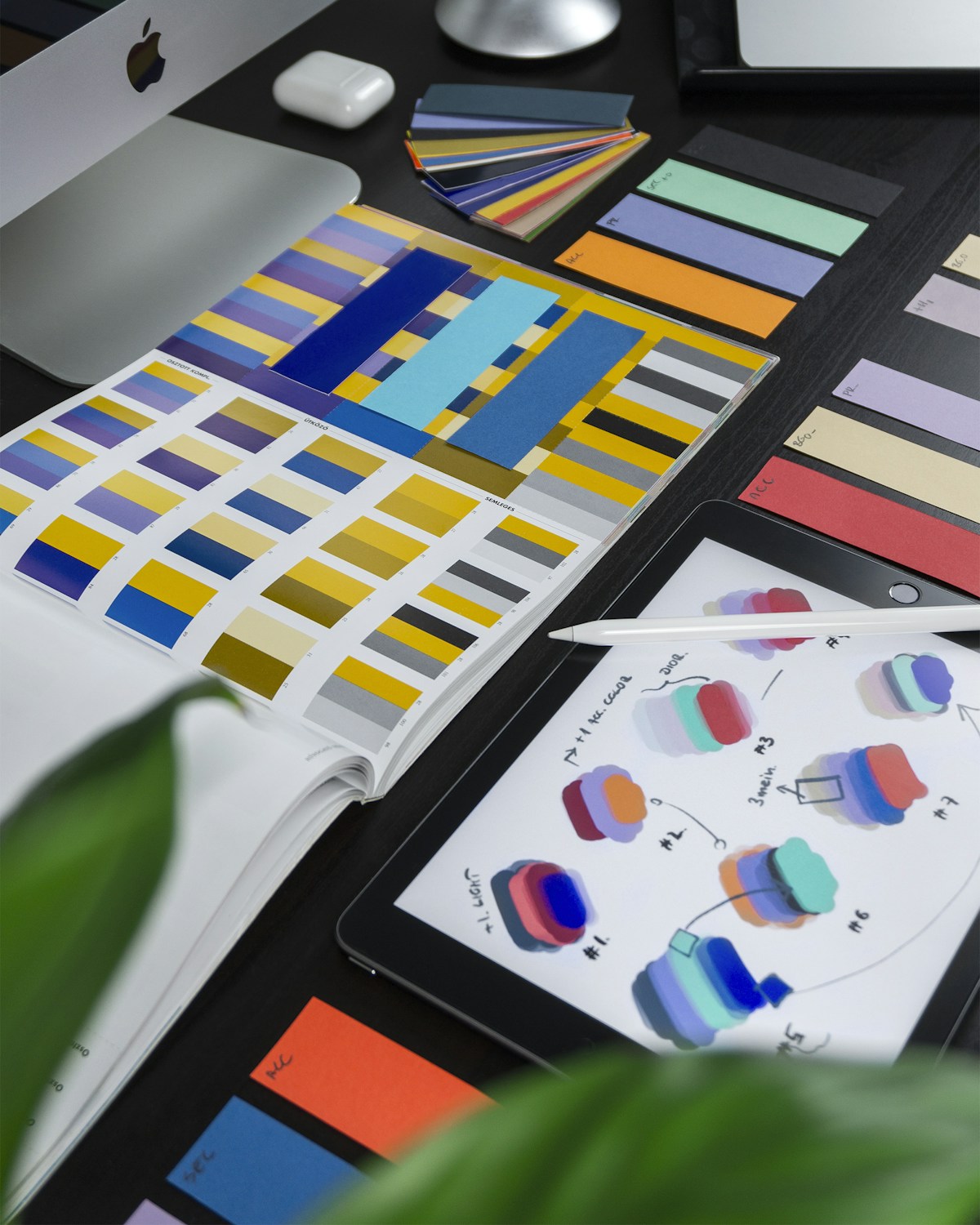
Your thumbnail is the single most important factor in whether someone clicks your video. YouTube's own Creator Academy confirms that 90% of top-performing videos use custom thumbnails, and channels that A/B test their thumbnails consistently see 20-40% higher click-through rates. Yet most creators treat thumbnails as an afterthought, slapping together a random screenshot with some text. In this guide, we break down the exact science behind thumbnails that convert browsers into viewers.
Color Psychology: Choosing Palette That Stops the Scroll
Color is the first thing the human brain processes when scanning a YouTube feed, and it happens in under 200 milliseconds. Understanding color psychology gives you an unfair advantage in capturing attention before a viewer even reads your title.
Warm colors like red, orange, and yellow trigger urgency and excitement. This is why MrBeast consistently uses bright red and yellow in his thumbnails — they create an almost involuntary pause in the scrolling behavior. Cool colors like blue and green evoke trust and calm, making them ideal for educational and tutorial content where you want to signal credibility.
The most effective thumbnail strategy is creating deliberate contrast against YouTube's white interface (or dark gray in dark mode). Saturated colors with high brightness values stand out dramatically. Analyze what colors dominate your niche and then choose complementary colors to differentiate. If every cooking channel uses warm reds and oranges, a vibrant teal or electric blue will make your thumbnail pop.
Avoid muddy mid-tones and desaturated palettes. They blend into the feed and become invisible. Instead, push your saturation 15-20% higher than feels natural on your monitor. What looks slightly oversaturated on a desktop display appears perfectly vibrant on a phone screen, where most viewers will encounter your content.
One advanced technique is the split-complementary color scheme: choose a dominant color and pair it with the two colors adjacent to its complement on the color wheel. This creates visual tension that draws the eye without feeling chaotic. For example, a dominant orange paired with blue-green and blue-violet creates a thumbnail that is simultaneously energetic and visually coherent.
Facial Expressions and Eye Contact: The Human Magnet
Humans are hardwired to look at faces. Neuroscience research shows that the fusiform face area of the brain activates within 170 milliseconds of seeing a face, making it one of the fastest visual processing pathways we have. Thumbnails with expressive faces consistently outperform those without by 30-50% in click-through rate across virtually every niche.
The key word is expressive. A neutral face does almost nothing for your CTR. You need exaggerated emotions that read clearly at tiny sizes. The most effective expressions fall into four categories: surprise (wide eyes, open mouth), excitement (big genuine smile, raised eyebrows), concern (furrowed brow, slight frown), and curiosity (head tilt, squinted eyes, raised single eyebrow).
Eye contact with the camera creates a psychological connection with the viewer. When someone's eyes meet yours in a thumbnail, it triggers the same social engagement response as real eye contact. However, there is a powerful exception: looking at something within the thumbnail directs the viewer's gaze toward that object or text. This technique, called gaze cueing, lets you guide attention to key elements of your thumbnail composition.
For creators who do not appear on camera, you can still leverage face psychology. Use illustrated faces, emoji-style expressions, or reaction images. The brain processes cartoon faces through the same neural pathways as real ones, just with slightly less intensity.
Practical tip: shoot your thumbnail face separately from your video. Set up dedicated lighting, get close to the camera (face should fill 30-40% of the thumbnail), and practice your expressions in a mirror first. Most top creators have a library of pre-shot facial expressions they composite into their thumbnails during editing.
Text Overlay Best Practices: The 3-5 Word Rule
Text on thumbnails should amplify curiosity, not summarize the video. The golden rule is 3 to 5 words maximum, and those words must be readable at the size of a postage stamp on a mobile phone screen. If you squint at your thumbnail at 50% zoom and cannot read the text instantly, it is too small or too wordy.
The most effective text overlays fall into specific patterns. Questions create curiosity gaps: "Is This Legal?" or "Worth $10,000?" Emotional amplifiers add context to the image: "GONE WRONG" or "I Quit." Specificity hooks use numbers or concrete details: "Day 365" or "$0 to $1M." The worst text overlays simply repeat the video title, which wastes the only space you have to add a second hook.
Typography matters enormously. Use bold, sans-serif fonts with thick strokes. Impact, Montserrat Black, and Bebas Neue are popular choices because they maintain legibility at small sizes. Avoid thin fonts, script fonts, or anything with fine details that will become illegible when scaled down.
Always add a text outline or shadow to ensure readability against any background. A 3-4 pixel black stroke around white text (or vice versa) guarantees contrast regardless of the underlying image. Some creators add a semi-transparent dark gradient behind text for additional insurance.
Placement is strategic. The bottom-right corner is occupied by the video duration badge, so avoid placing text there. The top-left and center-left are prime real estate because Western audiences scan from left to right. If your thumbnail features a face, place text on the opposite side to create visual balance.
Color your text to contrast with both the thumbnail background and YouTube's interface. White and yellow text are the most common because they pop against nearly every background.
A/B Testing with YouTube's Built-In Thumbnail Tool
YouTube launched its native thumbnail A/B testing feature (called "Test & Compare") in 2024 and expanded it to all channels with access to advanced features. This tool eliminates guesswork by showing different thumbnails to different segments of your audience and measuring which one drives more watch time share.
To use it effectively, you need a structured testing methodology. Start by testing one variable at a time. If you change the background color, the facial expression, and the text simultaneously, you will not know which change drove the result. Create two variants that differ in exactly one dimension: same face but different background, same composition but different text, same everything but one has a face and the other does not.
YouTube's tool measures "watch time share" rather than raw CTR, which is actually a better metric. A thumbnail might get high clicks but lead to immediate bounce-backs if it is misleading. Watch time share accounts for both the click and the subsequent viewing behavior, giving you a more holistic measure of thumbnail effectiveness.
Tests typically need 7 to 14 days to reach statistical significance, depending on your view volume. Resist the urge to end tests early or read too much into early results. YouTube will notify you when there is enough data to declare a winner with confidence.
Build a testing calendar. Test your highest-traffic videos first since they will reach significance fastest. Keep a spreadsheet logging every test: what you changed, the hypothesis, and the result. Over time, you will build a pattern library specific to your audience. What works for a tech review channel may be completely different from what works for a fitness channel.
The most common winning patterns from creator case studies: thumbnails with faces outperform faceless ones 73% of the time, brighter thumbnails beat darker ones 65% of the time, and fewer words beat more words 80% of the time.
Optimize Your Videos with AI
Beyond thumbnails, optimize titles, descriptions, and complete content strategies with AI.
Mobile-First Thumbnail Design: Designing for 70% of Your Audience
Over 70% of YouTube watch time happens on mobile devices, yet most creators design their thumbnails on large desktop monitors. This disconnect is one of the most common reasons thumbnails underperform. What looks stunning on a 27-inch display can become an indecipherable blob on a 6-inch phone screen.
The mobile-first design process starts with scale testing. After designing your thumbnail at full resolution (1280x720), immediately shrink it to 160x90 pixels — the approximate size it appears in a mobile feed. Everything important should still be clearly visible and legible at this size. If you lose critical information, simplify your design.
Composition must be bold and simple. Use the rule of thirds but with larger elements than you think necessary. Your main subject should fill 40-60% of the frame. Negative space is not wasted space on mobile — it provides breathing room that makes your focal point stand out. Cluttered thumbnails with many small elements merge into visual noise on small screens.
Contrast ratios need to be extreme for mobile readability. Aim for a minimum contrast ratio of 4.5:1 between text and background, though 7:1 is better. You can check this with free tools like WebAIM's contrast checker. Many creators who test on desktop are surprised to find their carefully designed thumbnails are unreadable on phones with lower brightness settings or in outdoor lighting.
Consider the context where mobile users encounter your thumbnail. It is sandwiched between other thumbnails in a dense feed, often on a bus, in a waiting room, or during a quick scroll session. Your thumbnail has roughly 1.5 seconds of attention to communicate its core message. Design for speed of comprehension above everything else.
Test on an actual phone before publishing. Send the thumbnail to yourself via messaging app and view it in your phone's photo gallery at the size it would appear in the YouTube feed.
Visual Hierarchy and Contrast: Guiding the Viewer's Eye
Visual hierarchy is the deliberate arrangement of elements to control the order in which a viewer's eye processes information. In a YouTube thumbnail, you typically have 1 to 2 seconds to communicate your message, so the hierarchy must be immediate and unambiguous.
The primary focal point should be the single most important element — usually a face or the main subject. Make this element the largest, brightest, or most saturated thing in the frame. The human eye naturally gravitates toward the area of highest contrast, so place your focal point where light meets dark or warm meets cool.
Secondary elements like text overlays, objects, or contextual imagery should clearly rank below the primary focal point. Use size reduction (60-70% of the primary element), slight desaturation, or strategic blurring to create visual subordination. If everything in your thumbnail screams for attention equally, nothing gets attention — the viewer's eye bounces chaotically and they scroll past.
The background should serve the foreground, never compete with it. Blurred backgrounds, solid color washes, or simple gradients keep focus on your subject. If you need a detailed background for context, desaturate it by 30-40% and reduce its brightness to push it visually behind your subject.
Leading lines are underused in thumbnails but incredibly effective. Diagonal lines, arrows, pointing fingers, or even the angle of someone's gaze naturally direct the viewer's eye along a path. The most effective composition moves the eye from the face to the text to the supporting element in a Z-pattern or triangular flow.
Depth is another powerful tool. Creating a foreground, midground, and background layer gives your thumbnail a three-dimensional quality that flat designs lack. Even subtle depth cues like a drop shadow behind text or a slight vignette around the edges create a perception of dimensionality that attracts attention in a flat, two-dimensional feed.
Competitive Analysis: Reverse-Engineering Top Performers
Studying successful thumbnails in your niche is the fastest way to understand what your specific audience responds to. But most creators do this wrong — they copy surface-level aesthetics instead of analyzing the underlying patterns.
Start by identifying the top 10 channels in your niche by subscriber growth rate, not total subscribers. Growth rate indicates current audience preference. For each channel, find their 10 highest-performing videos relative to their subscriber count (views divided by subscribers gives you a normalized performance score). This gives you 100 thumbnails that your exact target audience has demonstrated they will click on.
Catalog each thumbnail across six dimensions: dominant color scheme, presence and expression of faces, text overlay content and style, composition layout, background treatment, and brand consistency elements. Use a spreadsheet to track patterns. After analyzing 100 thumbnails, clear patterns will emerge that are specific to your niche and audience.
Look for gaps and opportunities. If every competitor uses the same blue-and-white color scheme, that is your opportunity to differentiate with orange or green. If no one is using text overlays effectively, that is an advantage you can exploit. The goal is not to copy but to understand the visual language your audience already responds to and then innovate within it.
Track trends over time. The thumbnails that worked 12 months ago may not work today. YouTube audiences evolve, and thumbnail styles go through cycles. Set a monthly calendar reminder to audit the top-performing new videos in your niche and update your thumbnail strategy accordingly.
Tools like TubeSpark can accelerate this analysis by surfacing competitor data and trending patterns automatically. Instead of manually cataloging hundreds of thumbnails, you can use AI-powered competitive analysis to identify the visual patterns driving clicks in your niche and apply those insights to your own content strategy.
Key Takeaways
1Design thumbnails at mobile size first since over 70% of YouTube views happen on phones where your thumbnail appears as small as a postage stamp.
2Use 3-5 bold words maximum on text overlays with thick sans-serif fonts and strong outlines to ensure readability at every screen size.
3Exaggerated facial expressions with direct eye contact activate hardwired human attention responses and boost CTR by 30-50% compared to faceless thumbnails.
4A/B test one variable at a time using YouTube's native Test and Compare tool and allow 7-14 days for statistically significant results before declaring a winner.
Improve All Your Content
Apply visual and text optimization techniques. Our AI suggests improvements for thumbnails, titles, and scripts.
What is the ideal YouTube thumbnail size and resolution?
The recommended YouTube thumbnail size is 1280x720 pixels with a 16:9 aspect ratio and a minimum width of 640 pixels. Use JPG, PNG, or GIF format under 2MB. Always design at full resolution even though most viewers will see it at a much smaller display size, because YouTube uses the full-resolution file for TV displays and search results.
How often should I A/B test my thumbnails?
Test thumbnails on every video that gets meaningful traffic. For new uploads, let the original thumbnail run for 48-72 hours to establish baseline data, then create a variant for testing. For your back catalog, prioritize videos with the highest impressions but below-average CTR — these have the most upside potential from a thumbnail improvement.
Should I use the same thumbnail style for every video?
Maintain brand consistency through 2-3 recurring elements (like a specific font, color accent, or layout template) while varying the creative execution for each video. Complete uniformity makes your videos blur together in subscribers' feeds, while zero consistency prevents brand recognition. The sweet spot is instantly recognizable but visually distinct per video.
Do thumbnails affect YouTube's recommendation algorithm?
Yes, indirectly but significantly. YouTube's algorithm prioritizes videos with high click-through rates and strong watch time. A better thumbnail increases CTR, which signals to the algorithm that your video is relevant and engaging, leading to more impressions in suggested videos and browse features. This creates a compounding growth cycle where better thumbnails lead to more algorithmic distribution.
Optimize Your Videos with AI
Beyond thumbnails, optimize titles, descriptions, and complete content strategies with AI.